 songroost
FEATURES
Everything
it does.
Songroost takes your songs from the practice room to the stage: organize them, practice what matters, and play them out. Here's all of it, grouped by what you're doing.
CHARTS AND THE READER
Your charts, readable on any screen.
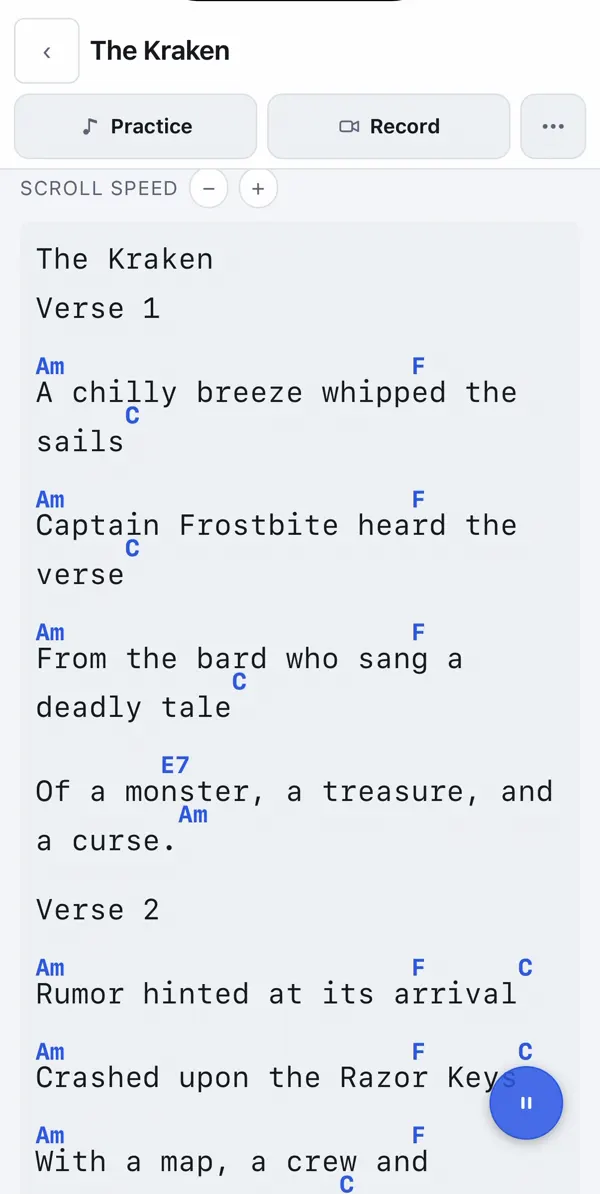
- Chord charts and lyrics with chords sitting above the words. Paste one in, link a web page, or upload a file.
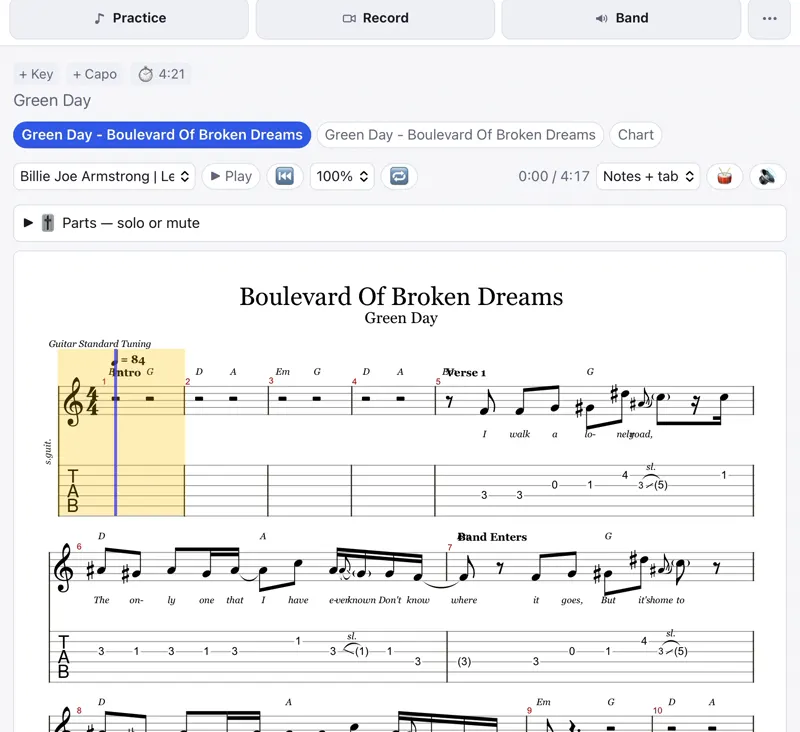
- Tabs and notation. Guitar Pro and MusicXML files show as notation and tab, with playback, a cursor that follows along, speed, loop and a metronome.
- PDFs, Word files, iReal Pro charts and MIDI all open in the same reader.
- Transpose and capo. Change the key, set a capo and see the shapes you'll play, or switch to Nashville numbers. Chord diagrams on tap.
- Auto-scroll at the song's pace, with holds for long instrumental parts and quick skims through repeats.
- Fit to screen. Columns or pages, so a long song fits without scrolling.
- Song flow. Write out the order (verse, chorus, verse, bridge) once and follow it.
- Mark it up. Highlighter, pen and text notes on the chart.
- Page-turn pedals work, and a MIDI pedalboard can change the chart and your tone together.
- Play along. Dock the song's video next to the chart.
- Keeps the screen on while you play. Print or save any chart as a PDF.
SONGS AND SETLISTS
One library, every set.
- Every song in one place, with its chart, key, tempo, length, links, recordings and notes.
- Rated for each part you play. Guitar, vocals, singing while playing, drums: each gets its own 1 to 5.
- Bring your songs in. Type or paste a list, or import from SongbookPro or OnSong.
- Fill in the details. Look up missing keys, tempos and lengths, and check them before they're saved.
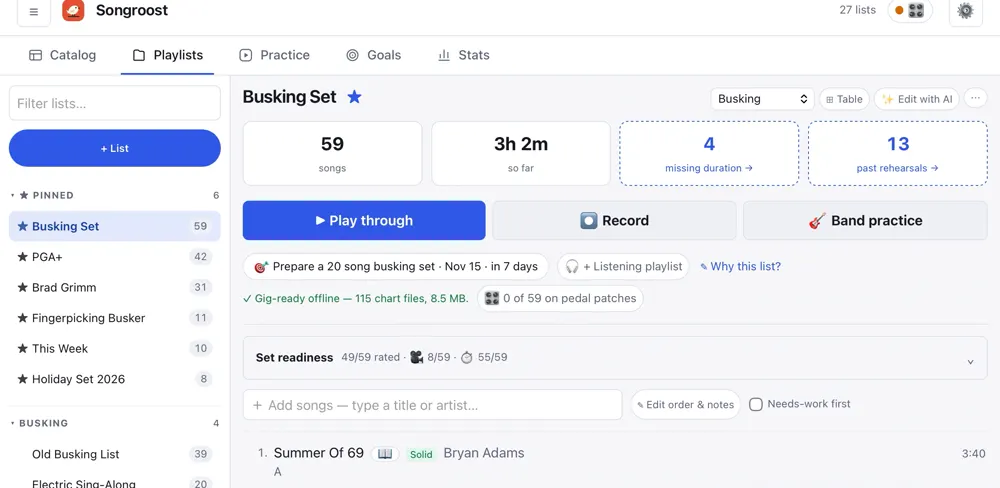
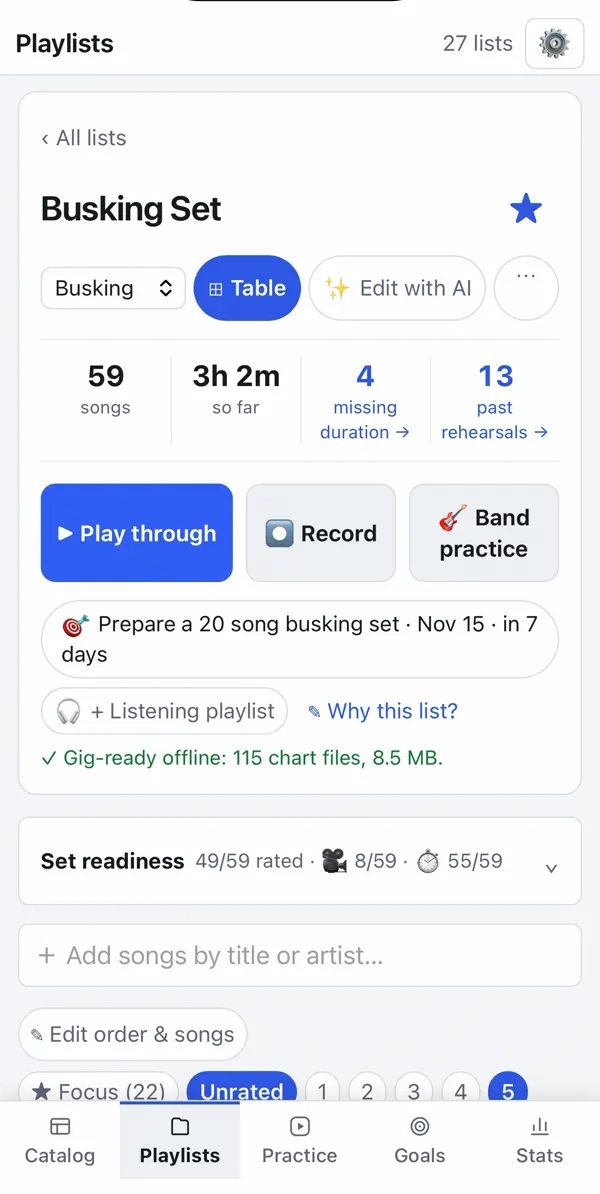
- Setlists with running order, notes, total length and a readiness summary: how many songs are rated, how many are solid.
- Smart lists that keep themselves up to date, like songs you haven't played in a while.
- Loadouts. Keep a song's key, capo and pedal patch for a particular set.
- Originals. A writing workbench for songs in progress, with lyric import from a Google Doc.
- Find anything. Search by title, artist or a line of the lyrics.
- Take it with you. Export charts as ChordPro, or back up everything to one file.
PRACTICE
Know what to practice.
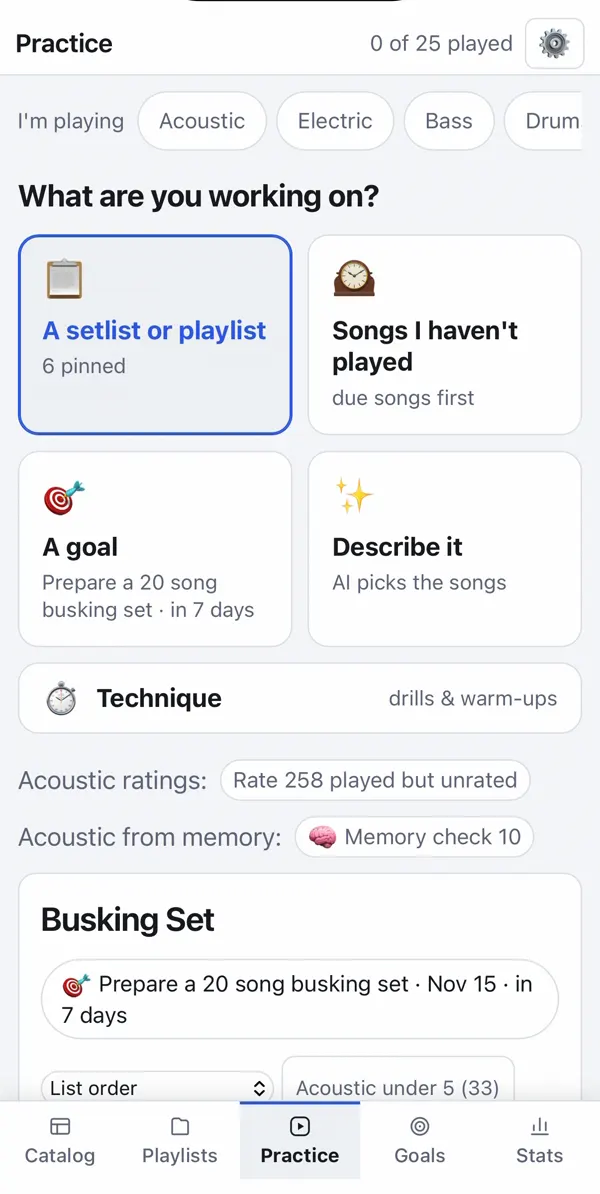
- Start from what you're working on: a setlist, songs you haven't played, a goal, or technique.
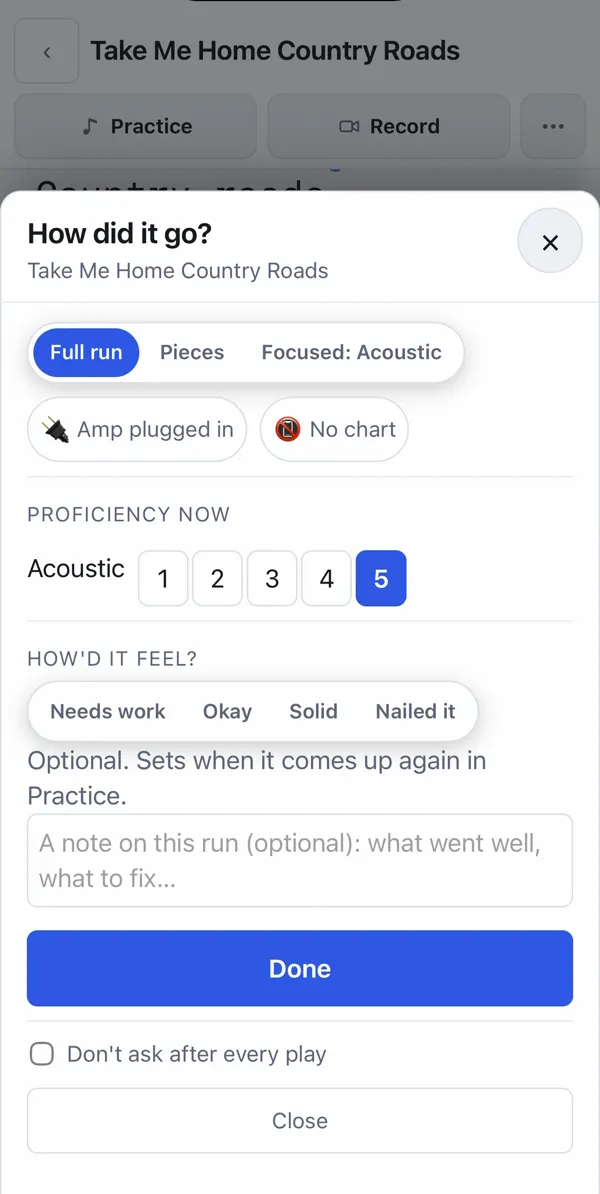
- One tap to log a play, then "How did it go?" sets when the song comes back around.
- Notes for next time on every song, and a focus for the next session.
- Sections. Work on the hard part of a song by itself, with a tempo ladder.
- Technique drills and warm-ups with targets that move as you improve.
- Memory check. Test whether you can play a song without the chart.
- Curveballs. Start from a random section, or recover mid-song, the way a gig goes.
- Rusty ratings. A song you haven't played in six months asks to be re-checked.
- Plan a session. Say how long you have, and get a plan from your own songs and notes.
GOALS AND STATS
Watch it add up.
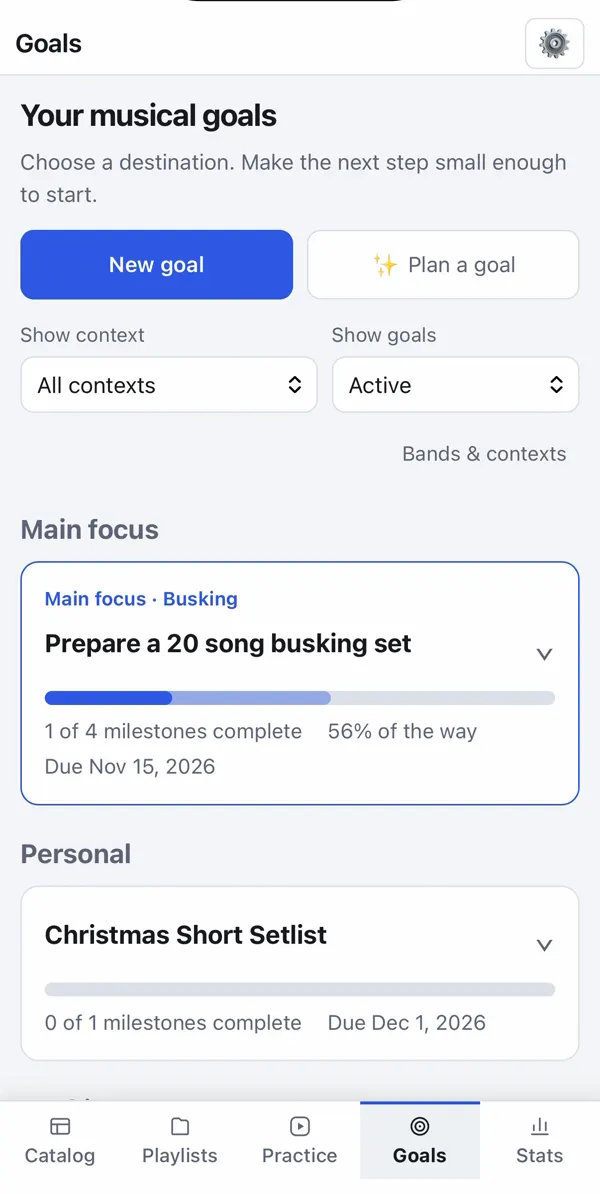
- Goals that track themselves. "20 songs ready for a busking set by the 15th" fills in as you practice.
- Milestones by song count, by rating, or by minutes of material you can play.
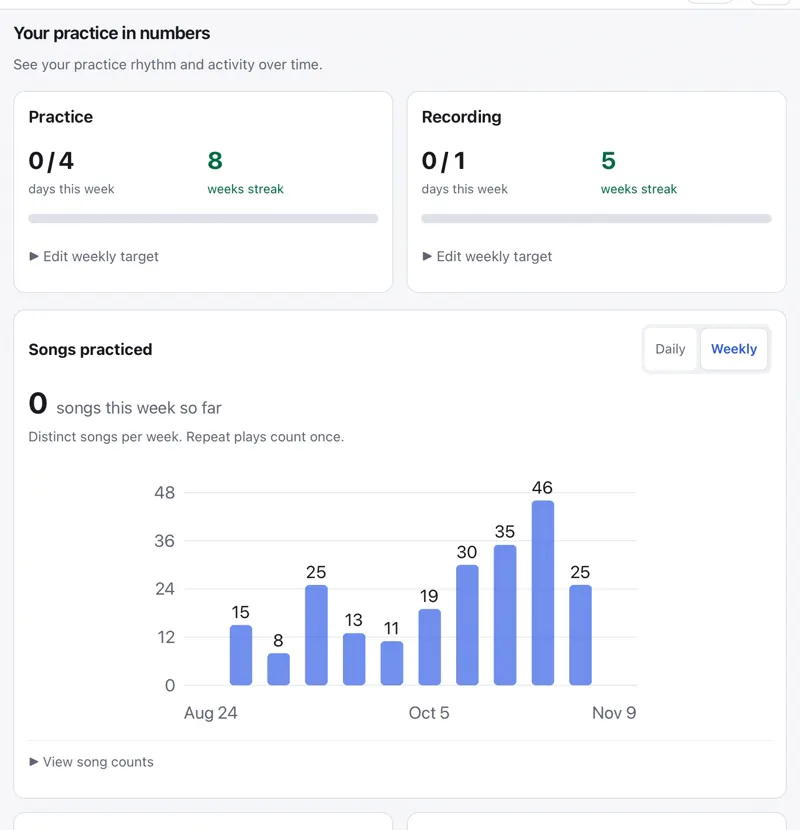
- Weekly targets and streaks, an activity calendar, and weekly trends.
- Know when you're gig-ready. See how many songs you have, and how long you can play.
- A weekly check-in, if you want one: it looks at your week and plans the next.
- A weekly recap email and an iPhone home-screen widget.
- Rating history for every part of every song.
RECORDING
Hear how it really sounds.
- Record a take of one song, or a whole set, from the reader.
- Upload recordings you made somewhere else.
- Notes at a moment in the recording, so you know exactly what to fix.
- Get feedback. Send a link to a friend or teacher, and their notes land on the recording. No account needed.
GIGS
Your own gig page.
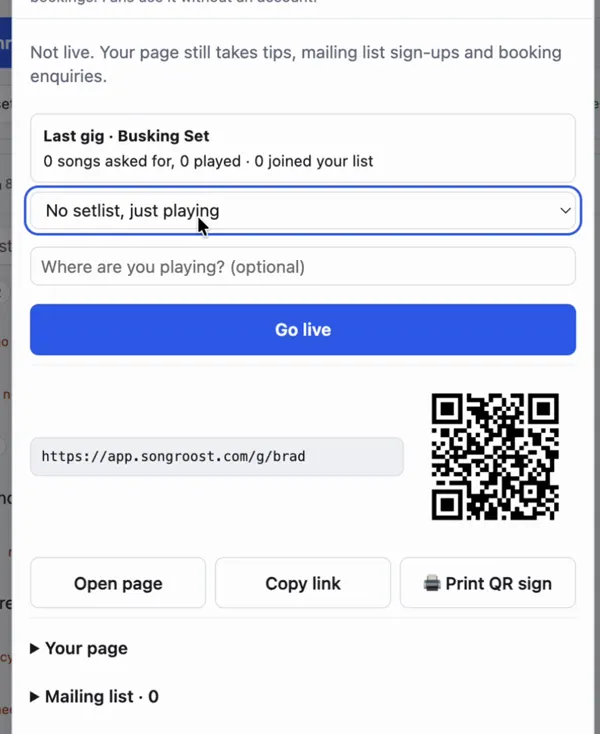
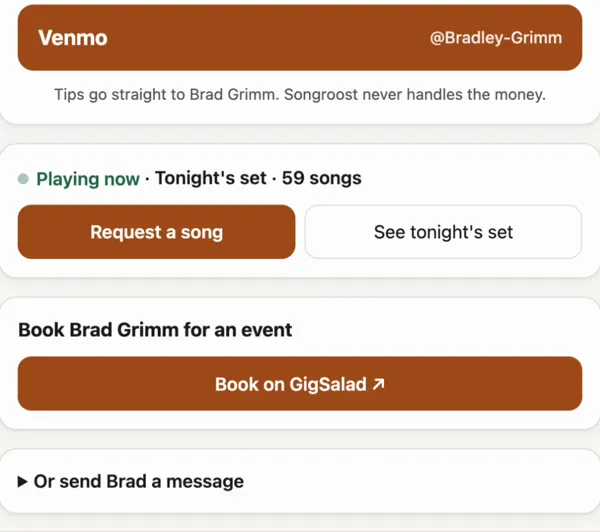
- A QR code for your stand. Print the sign, go live, and fans land on your page.
- Tips straight to your Venmo, PayPal or Cash App. Songroost never touches the money.
- Song requests from your own list, while you play.
- A mailing list and booking enquiries, from the same page.
- Your public song list to send to venues, or embed on your website.
- Open mic sign-ups. First come, first served, with a waitlist that moves people up, reminders, and a setlist from the line-up.
- Practice nights. Fill each part of a setlist with players, then call the night on or off.
BAND
Everyone on the same page.
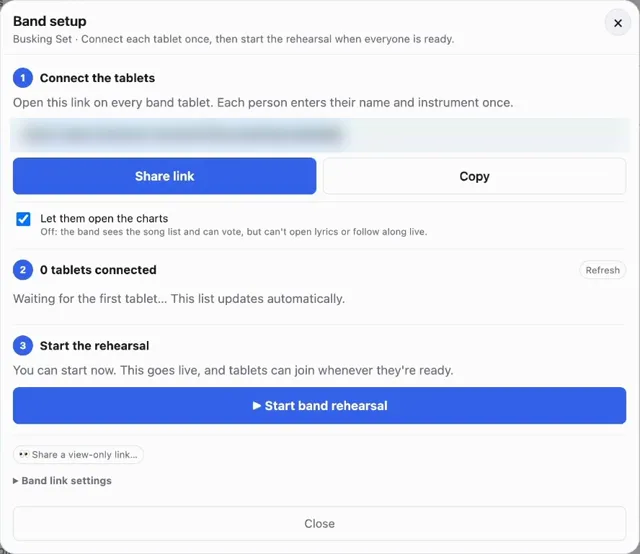
- Share a setlist with one link. Bandmates open it on their phones. No account needed.
- Follow the leader. One person moves through the set, and everyone's chart follows, down to the line.
- Marks for the whole band, or just for you.
- Record the rehearsal and jump to any song afterward.
- Save a shared setlist into your own Songroost in one tap.
OFFLINE
No signal? Still plays.
- Your setlists and charts are saved on your device, running order and notes included.
- Practice, edit and record offline. It all syncs when you're back online.
- Gig-ready check. Each setlist says when everything in it is ready to go offline.
APPS
Phone, tablet, computer.
- iPhone and iPad on the App Store.
- Android on Google Play, phones and tablets.
- Any browser on a computer, tablet or phone. Nothing to install.
- Your library syncs across all of them.
- No ads and no third-party trackers. Export everything whenever you like.
- Free for up to 50 songs during the beta. No card.
COMING SOON
What's next.
In the works. Dates aren't set, and plans can change.
- Recording feedback. See your singing next to the melody, so you can hear where you drift off pitch.
- Set review. After a gig, score each song for rhythm, vocals and recovery.
- Song markers in a full-set recording, so you can jump to each song.
- Teacher reviews. Send a recording to a teacher and get their notes back.
- Date polls and text reminders for open mics and practice nights.
- An Android home-screen widget for your week and your streak.
Try it with your own songs.
Free for up to 50 songs during the beta, no card.