Every song in one place.
Paste in your song list or import from SongbookPro. Each song keeps its chart, lesson links, recordings and notes together.
 songroost.
For musicians who practice, rehearse and play out
Your charts, practice notes, recordings and setlists in one place, on your phone. Know what to practice tonight, rehearse with your band, and have the set ready when it's time to play.
Charts ✳ Practice log ✳ Recordings ✳ Setlists ✳ Band sharing
INSIDE THE APP
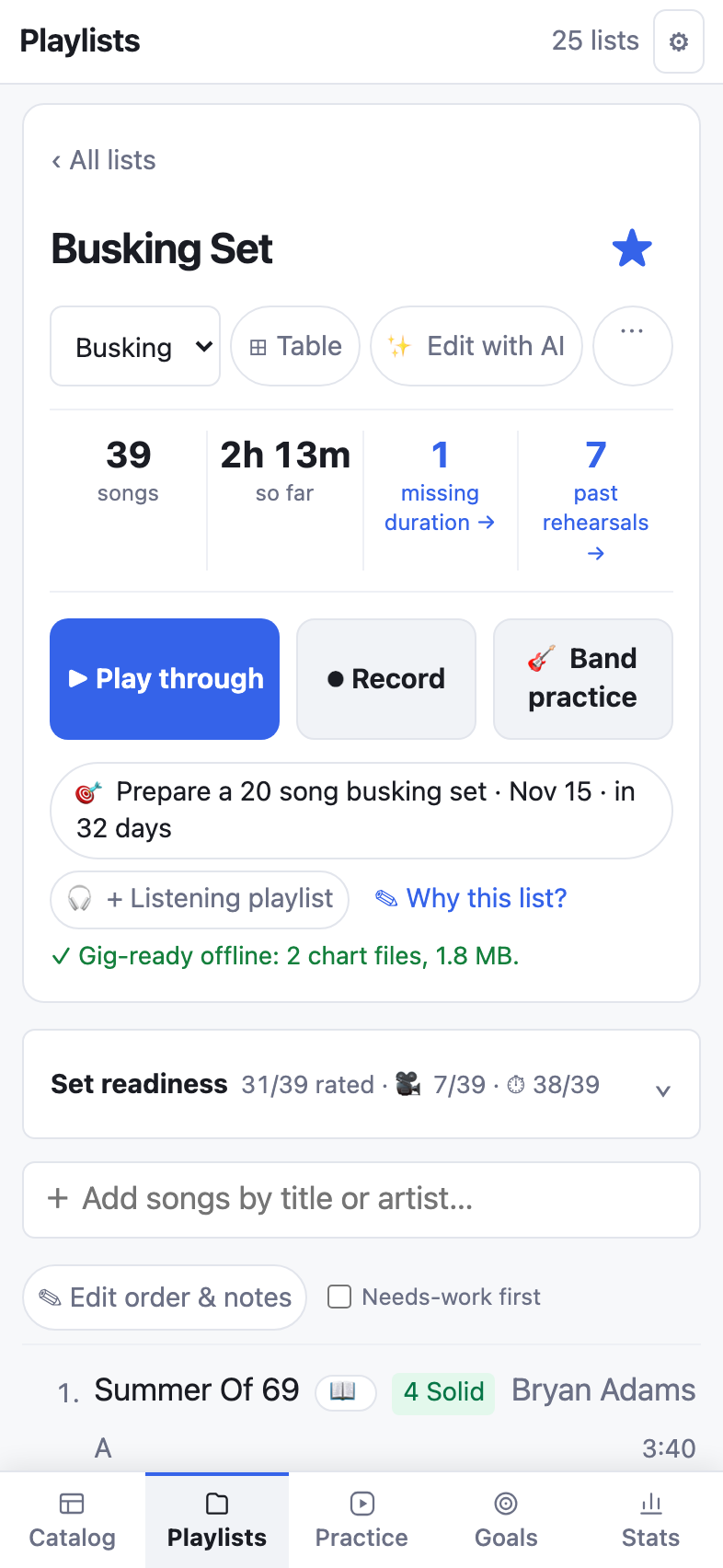
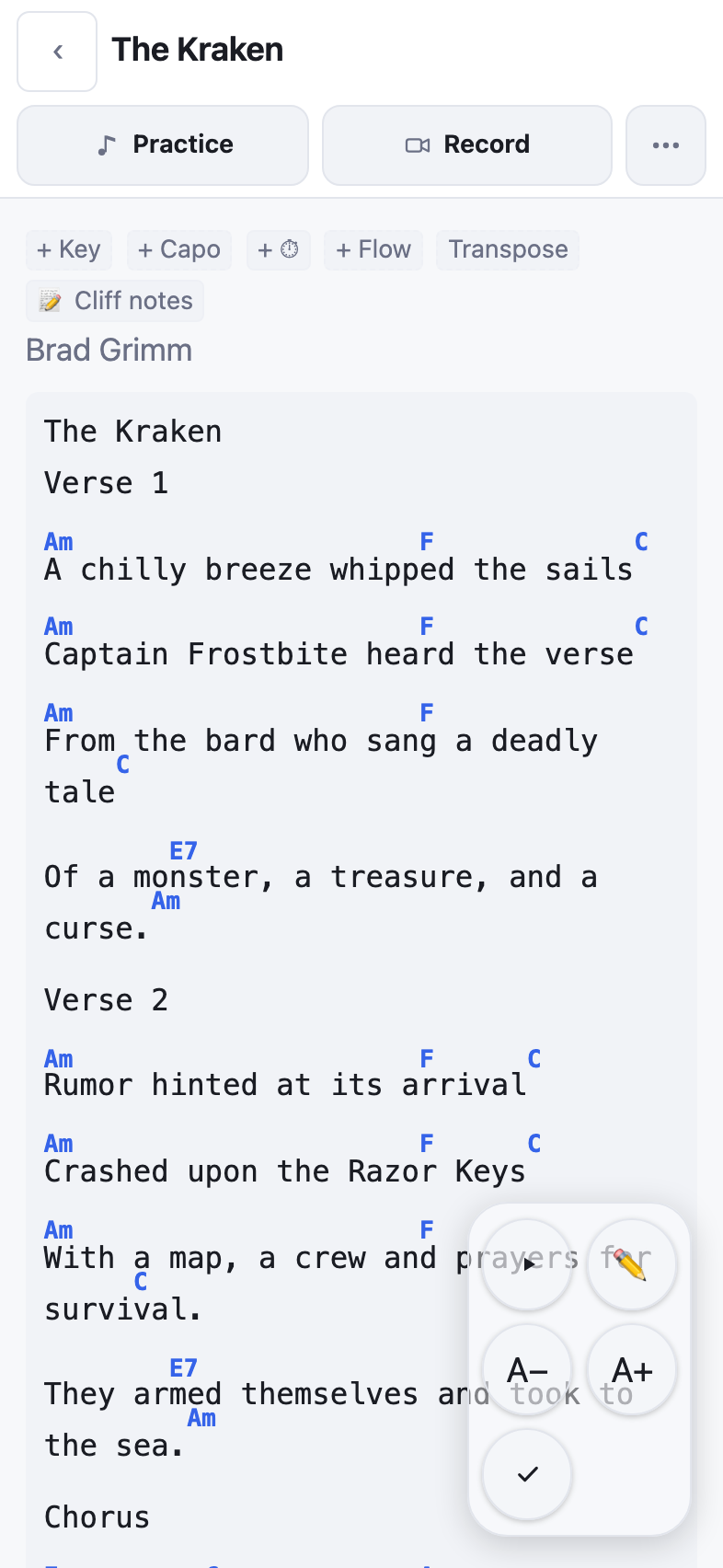
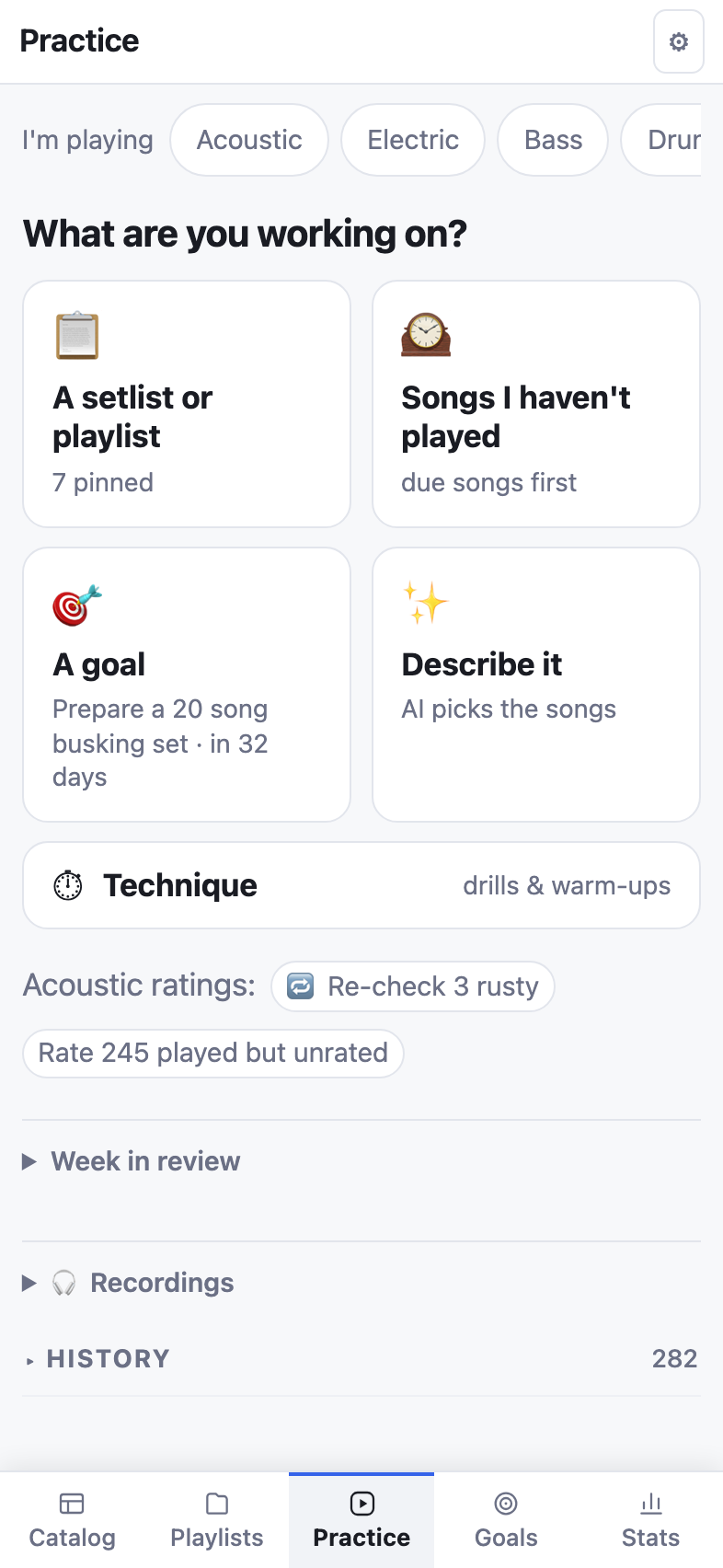
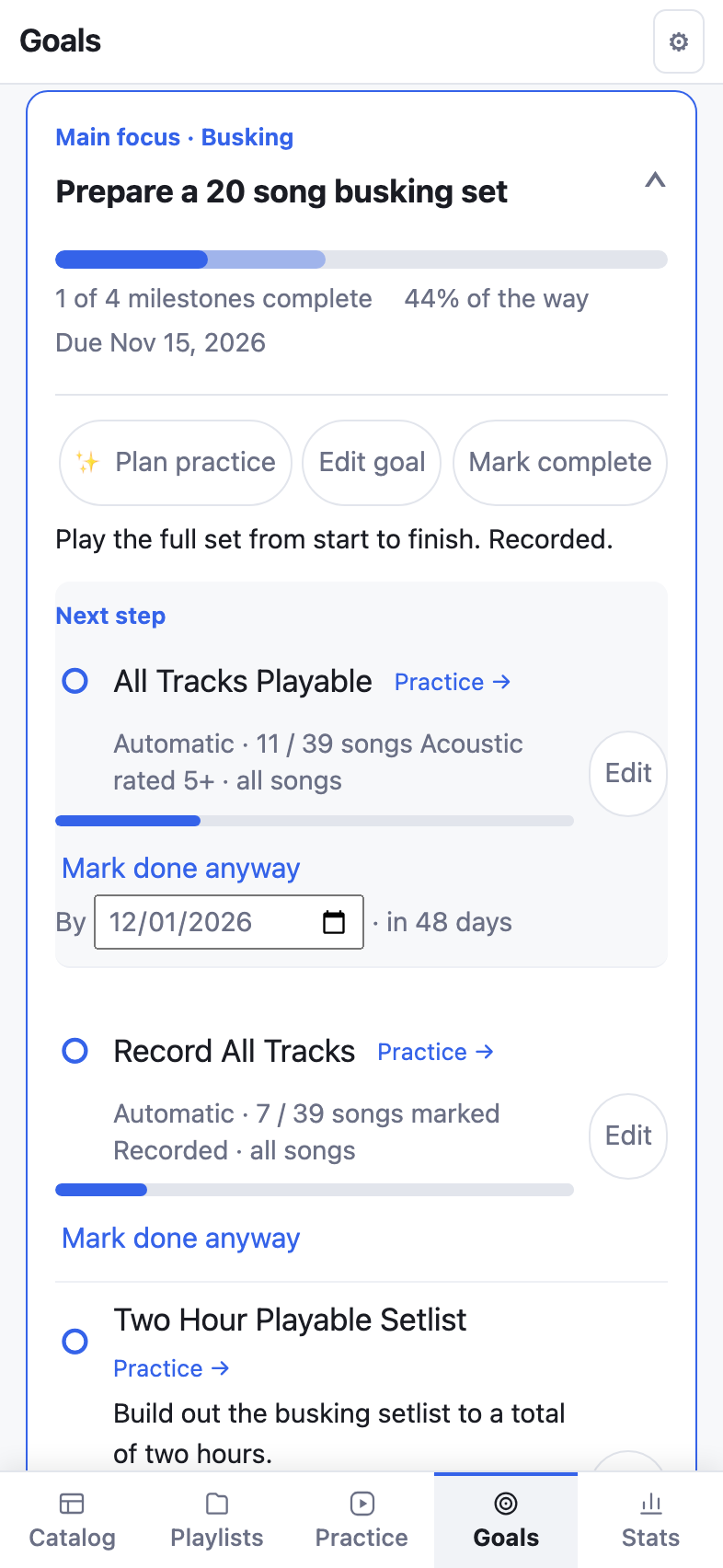
Real screens from one musician's library: a song they wrote, a busking set, and the goal it's for.
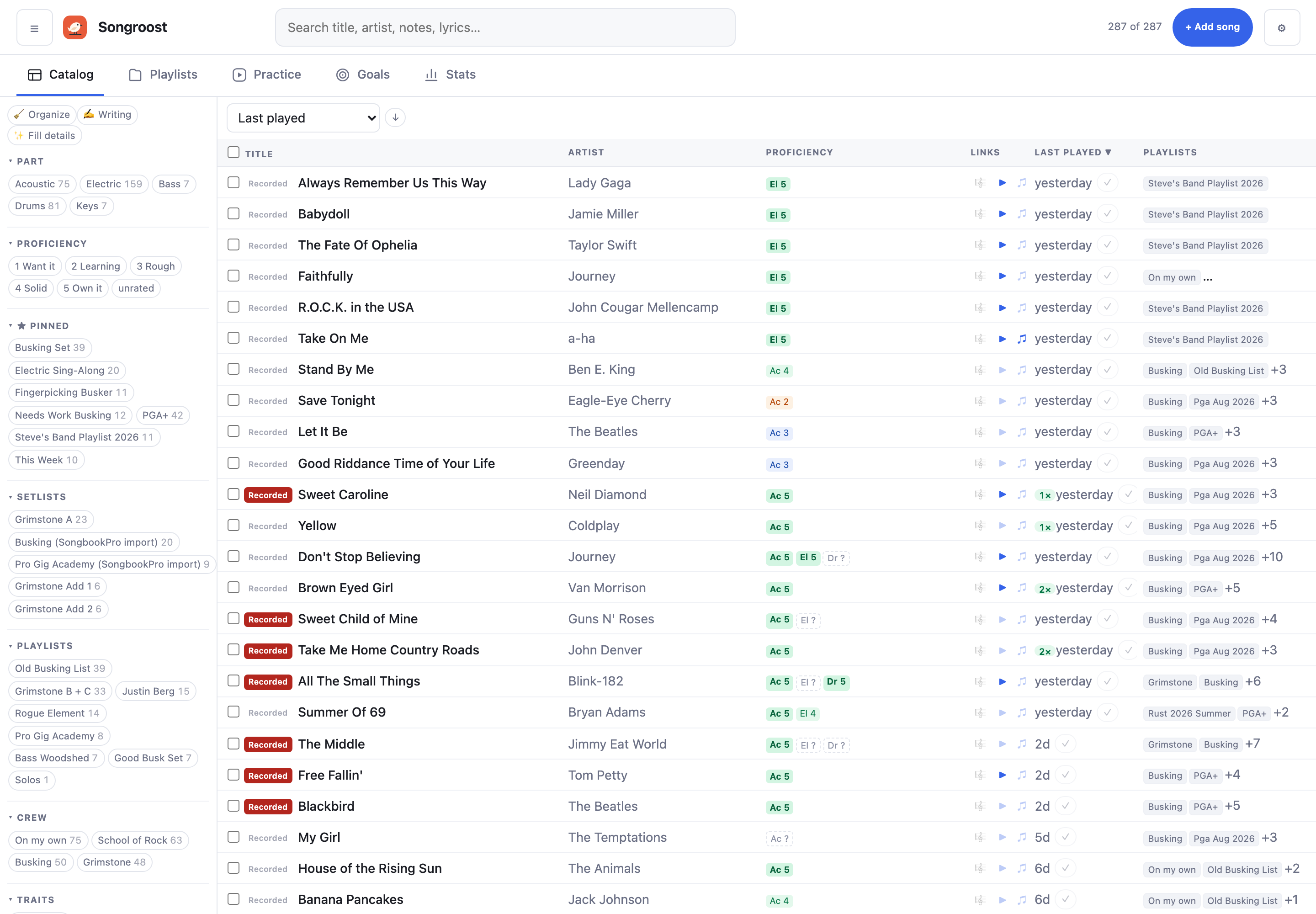
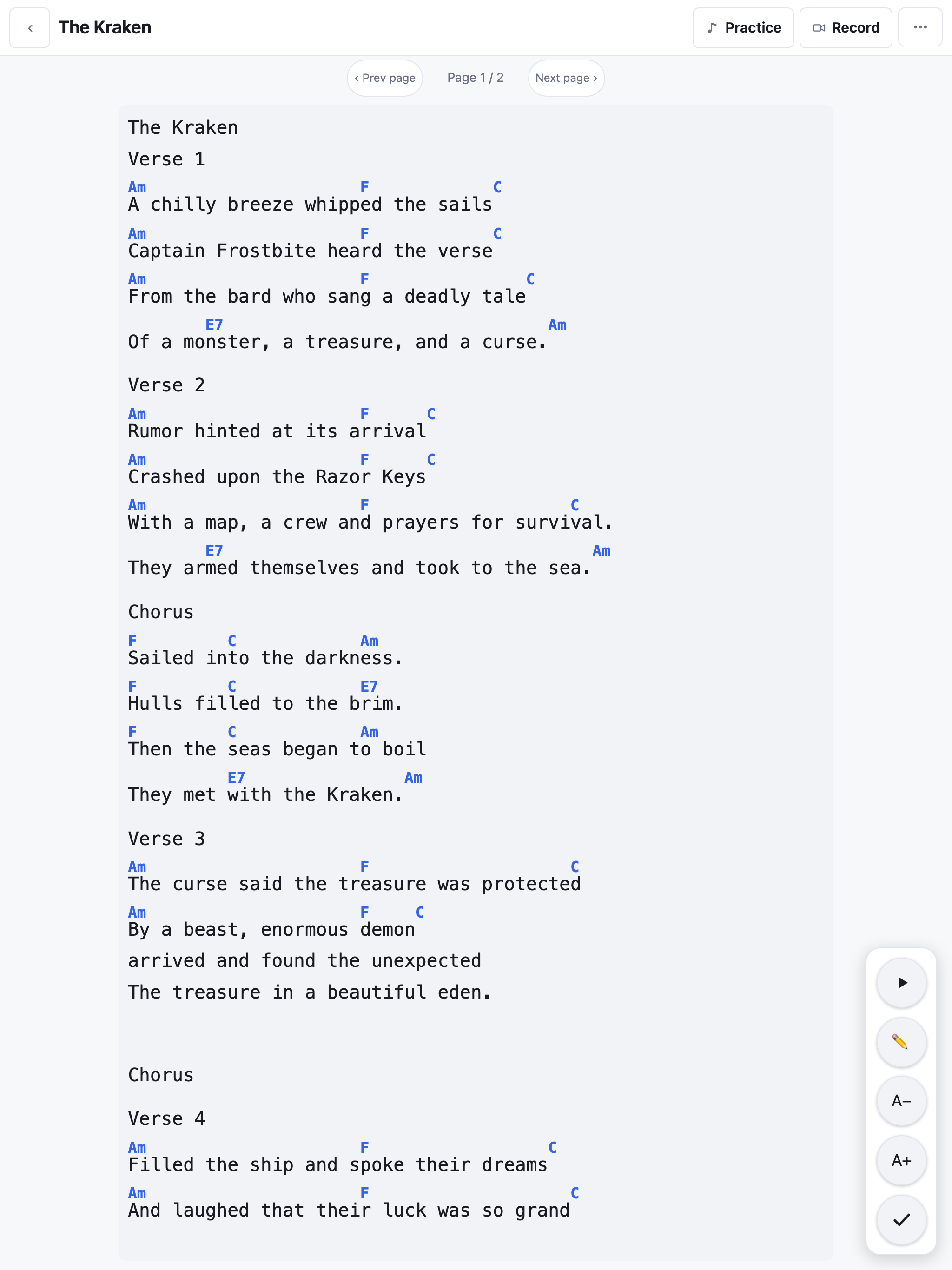
THE PART IN BETWEEN
Songroost is everything in between: getting your songs ready. From your own ratings and practice log, a setlist shows which songs are solid and which need work, and Practice gives you a short list for tonight to close the gap.
HOW IT WORKS
Paste in your song list or import from SongbookPro. Each song keeps its chart, lesson links, recordings and notes together.
Start from what you're working on: a setlist, songs you haven't played in a while, a goal, or technique drills. Log what you played and what to fix next time.
Share a setlist with a link. Bandmates open it on their phones, no account needed, and follow along as you move through the set. Record the whole rehearsal and jump to any song afterward.
Play through the set with the screen kept on, or Record it: a count-in for a practice take, or none for a live gig. Works with no signal.
OFFLINE
Open your setlists once while you're online and they're saved on your phone: charts, notes and running order. Practice logs, edits and recordings made offline sync when you're back online.
Play-along videos need a connection. On iPhone, add Songroost to your home screen, or Safari may clear its saved data after a week without use.
QUESTIONS
Anyone who plays songs from chord charts and lyrics: singers, guitarists, bassists and keys players, whether you practice at home, busk, or play in a band. It's built for the musician, not the band office. If you read standard notation, a score app like forScore will suit you better. If you need bookings, availability and band finances, look at BandHelper. Worship teams already on Planning Center will want to stay there.
No. Songroost is for your own library: your charts, recordings, notes, and links to lessons or backing tracks. It isn't a song catalog or a course. Found a chart on the web? + From web… brings it in from a link. Already learning with Moises or a backing-track app? Keep that link next to the chart.
No. Share a setlist and they open the link on their phone, type their name, and they're in. Only you need a Songroost account.
Yes, it's built for phones first, and works on tablets and computers too. On Android, get it from Google Play. On iPhone it runs in the browser; add it to your home screen and it opens like an app. A native iPhone app may come later.
Saved setlists and charts, practice logging, recording and edits. Anything you do offline syncs when you reconnect. Play-along videos need a connection.
During the beta it's free for up to 50 songs, with no time limit and no card, so you can try it at a real rehearsal first. The full app will be a one-time purchase. An optional add-on covers the two things that cost money to run every month: AI suggestions and storing video.
Yes, any time. Settings → Back up everything downloads your songs, ratings, setlists, links, practice history and goals as one file, and every text chart as ChordPro, the open format other chord apps import. Recordings and PDF charts download from each song. A one-time purchase stays yours: we won't later move what it includes behind a subscription. No ads, and no third-party trackers.
Now. Sign up with your email; there's nothing to install. On Android, you can also install it from Google Play. It's a public beta, so expect changes, and tell us what's missing at support@songroost.com.
PUBLIC BETA
Free for up to 50 songs. No card, no time limit.
Works on your phone in the browser.